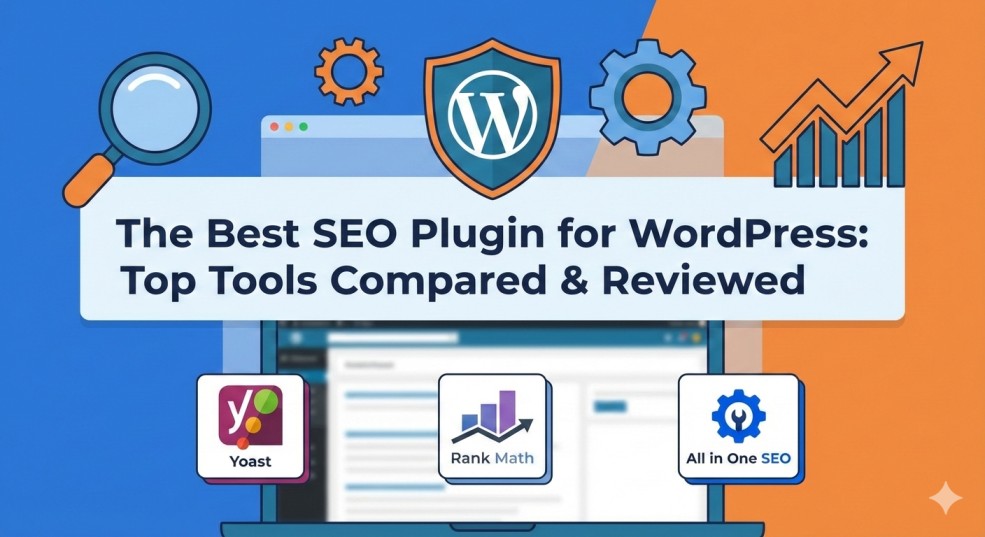
If you’re looking for the best SEO plugin for WordPress, you’ve come to the right place. Choosing the right plugin is crucial for improving your website’s search visibility, optimizing content, and managing technical SEO without getting overwhelmed. With so many options available, it can be difficult to know which one delivers the perfect balance of features, usability, and performance. In this guide, we’ll compare the top SEO plugins, covering everything from core features and ease of use to pricing, integrations, and user reputation—so you can make an informed choice for your site.
Table of Contents
Overview of Each Plugin
When searching for the best SEO plugin for WordPress, you’ll quickly notice that a few well-known options dominate the market. Each plugin is designed to help WordPress site owners optimize their content, improve search visibility, and manage technical SEO tasks— but they differ in features, complexity, and ideal use cases. Below is a clear overview of the most popular SEO plugins you’re likely to compare.
Yoast SEO
Yoast SEO is one of the most widely used plugins and is often the first choice for beginners. It focuses heavily on on-page SEO, offering real-time content analysis, readability checks, and easy control over meta titles and descriptions. For users who want structured guidance and clear recommendations, Yoast is often considered the best SEO plugin for WordPress for beginners and content-focused websites.
Rank Math
Rank Math has grown rapidly due to its powerful feature set and generous free version. It combines advanced SEO tools—such as schema markup, keyword tracking, and detailed on-page analysis—into a clean, modern interface. Many users consider Rank Math the best SEO plugin for WordPress if they want advanced features without installing multiple plugins.
All in One SEO (AIOSEO)
All in One SEO is a long-standing plugin known for its balance between simplicity and functionality. It offers strong support for meta optimization, XML sitemaps, and local SEO features. AIOSEO is often chosen by small businesses and bloggers looking for the best SEO plugin for WordPress that’s easy to manage without sacrificing essential features.
SEOPress
SEOPress is a lightweight yet powerful SEO plugin that appeals to users who want full control without clutter. It supports unlimited keywords, advanced schema options, and Google Analytics integration. For developers and advanced users, SEOPress can be considered the best SEO plugin for WordPress due to its flexibility and performance-focused design.
The SEO Framework
The SEO Framework is designed for speed and automation. It focuses on clean code, minimal configuration, and automatic SEO optimizations. While it lacks some flashy features, many performance-focused site owners view it as the best SEO plugin for WordPress for fast-loading, low-maintenance websites.
Ease of Installation & Setup
When choosing the best SEO plugin for WordPress, ease of installation and setup plays a major role—especially for beginners or site owners who want results quickly without technical complexity. Most top SEO plugins install directly from the WordPress plugin directory, but the real difference lies in how smoothly they guide users through initial configuration.
Yoast SEO
Yoast SEO offers one of the most beginner-friendly setup experiences. After activation, a step-by-step configuration wizard helps users define site type, SEO goals, and basic visibility settings. The plugin also explains each option in simple language, making it easier for non-technical users to get started. For many beginners, this simplicity is a key reason Yoast is often considered the best SEO plugin for WordPress.

Rank Math
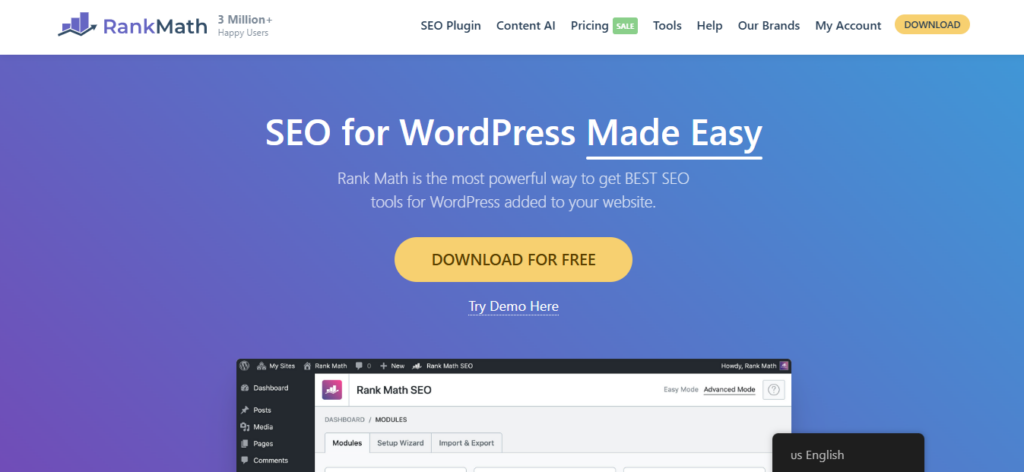
Rank Math stands out with its advanced yet guided setup wizard. During installation, users can choose between “Easy” and “Advanced” modes, allowing both beginners and experienced users to configure SEO settings efficiently. The plugin can also import data from other SEO plugins automatically, which saves time during migration. This flexibility makes Rank Math a strong contender for the best SEO plugin for WordPress for users who want control without confusion.
All in One SEO (AIOSEO)
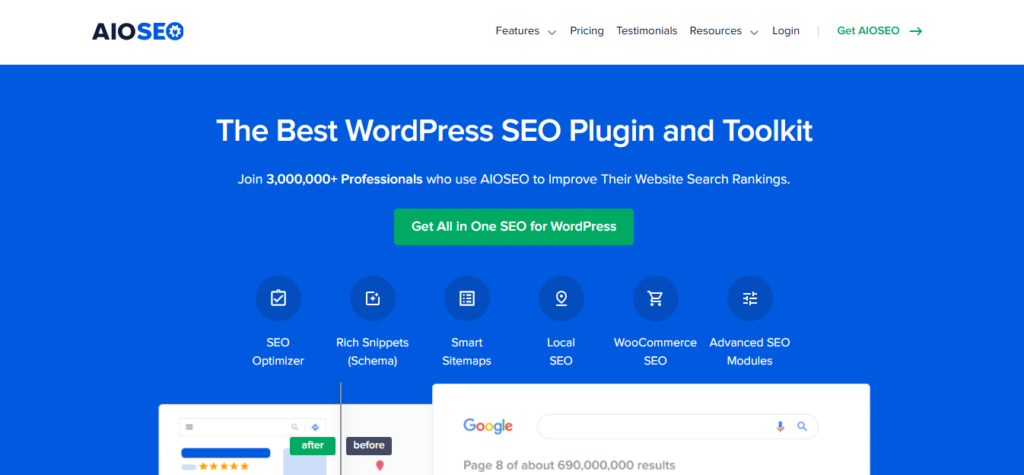
All in One SEO focuses on simplicity and speed during setup. Its onboarding wizard asks a few essential questions and automatically applies recommended settings. Most features work out of the box, reducing the need for manual adjustments. This makes AIOSEO appealing to users looking for the best SEO plugin for WordPress with minimal setup effort.
SEOPress
SEOPress offers a clean installation process but assumes some SEO knowledge. While there is a setup wizard, users may need to manually configure certain features such as schema, sitemaps, and analytics integrations. For experienced users, this level of control is a benefit, though beginners may find it less guided. Still, many advanced users consider SEOPress the best SEO plugin for WordPress for hands-on optimization.
The SEO Framework
The SEO Framework takes a minimalist approach to setup. Once installed, it automatically applies optimized default settings, requiring very little user input. This “set it and forget it” style is ideal for users who want fast setup without configuration complexity. For performance-focused websites, this simplicity can make it feel like the best SEO plugin for WordPress with the least setup friction.
Core SEO Features
Core SEO features are the foundation of any optimization strategy. When evaluating the best SEO plugin for WordPress, it’s important to focus on how well each plugin handles essential tasks like meta data control, indexing, sitemaps, and structured optimization. Below is a clear breakdown of how the leading plugins compare in terms of core functionality.
Meta Titles & Meta Descriptions
All major SEO plugins allow you to customize meta titles and meta descriptions for posts, pages, categories, and tags. This ensures your content displays correctly in search results and improves click-through rates. Plugins like Yoast SEO and Rank Math also provide previews of how your pages will appear on Google, helping users optimize content visually. Strong meta control is a must-have feature in the best SEO plugin for WordPress.
XML Sitemaps
XML sitemaps help search engines crawl and index your website efficiently. Top SEO plugins automatically generate XML sitemaps and keep them updated as new content is published. Rank Math, AIOSEO, and SEOPress allow users to include or exclude specific post types and taxonomies, giving better control over indexing. Reliable sitemap management is a key requirement for the best SEO plugin for WordPress.
Indexing & Crawl Control
Controlling how search engines crawl your site is another essential feature. Most plugins offer “noindex” and “nofollow” options for pages, categories, and archives. This helps prevent low-value or duplicate content from appearing in search results. Plugins that make these controls easy to access often stand out as the best SEO plugin for WordPress for long-term site health.
Canonical URLs
Canonical URLs prevent duplicate content issues by telling search engines which version of a page should be indexed. All top SEO plugins automatically add canonical tags, while also allowing manual overrides when needed. This feature is especially important for eCommerce stores and large websites, making it a core element of the best SEO plugin for WordPress.
Schema & Structured Data
Structured data helps search engines better understand your content and can improve visibility with rich results. Plugins like Rank Math, AIOSEO, and SEOPress offer built-in schema markup for articles, products, FAQs, and more. Having schema included without extra plugins is a major advantage when choosing the best SEO plugin for WordPress.
Robots.txt & .htaccess Management
Advanced SEO plugins allow users to edit robots.txt and .htaccess files directly from the WordPress dashboard. This makes it easier to control crawler access and manage redirects without touching server files manually. For power users, this capability is often a deciding factor in selecting the best SEO plugin for WordPress.
Pricing & Value for Money
Understanding pricing and overall value is crucial when evaluating the best SEO plugin for WordPress. While many plugins offer free versions, the features you get in premium plans can greatly impact your SEO capabilities and long-term growth. Below, we break down how pricing compares and what value you can expect from each option.
Yoast SEO
Pricing:
- Free version available with essential tools.
- Premium version with advanced features (e.g., multiple focus keywords, internal linking suggestions, redirect manager).
Yoast’s free version is more than enough for many blogs and small business sites. However, if you need advanced content analysis and support, upgrading to Premium adds useful tools. Considering its ease of use and popularity, Yoast is often seen as the best SEO plugin for WordPress for beginners and intermediate users who want a reliable free option and reasonable paid upgrades.
Rank Math
Pricing:
- Free version with generous advanced features included.
- Pro and Business plans add more keyword tracking, schema types, and multisite support.
Rank Math’s free version includes many features that other plugins reserve for premium plans. This makes it especially attractive for users who want a full-featured tool without paying upfront. For many users, this combination of robust free features and flexible paid upgrades makes Rank Math one of the best SEO plugin for WordPress in terms of value.
All in One SEO (AIOSEO)
Pricing:
- Free version with standard SEO tools.
- Premium plans unlock features like local SEO, advanced support, and schema.
AIOSEO’s pricing is mid-range compared to competitors. The free version covers the basics well, but some advanced features (like Video SEO and Social Meta) require a premium plan. For small businesses that plan to expand their SEO strategy, AIOSEO offers good value and support, making it a contender for the best SEO plugin for WordPress.
SEOPress
Pricing:
- Free version available with core SEO functionalities.
- Pro version includes advanced schema, video XML sitemaps, and WooCommerce SEO.
SEOPress’s pricing is competitive, often lower than alternatives while still offering professional-level features. The plugin’s balance of power and price appeals to freelancers, agencies, and developers. Many users feel that SEOPress provides excellent return on investment, strengthening its position among the best SEO plugin for WordPress for value-conscious users.
The SEO Framework
Pricing:
- Entirely free for core functionality.
- Extensions available for extra features (some paid add-ons).
The SEO Framework prioritizes speed and simplicity. Its free version is solid for basic SEO, and paid extensions are optional. While it may not have as many bells and whistles as others, its overall value—especially for fast, streamlined SEO—makes it worth considering if you want the best SEO plugin for WordPress without recurring costs.
Value Summary
| Plugin | Free Version | Premium Pricing | Best For |
|---|---|---|---|
| Yoast SEO | ✔️ | Moderate | Beginners, Content-Focused Sites |
| Rank Math | ✔️ (Robust) | Competitive | Feature-Rich without Cost |
| AIOSEO | ✔️ | Moderate | Small Businesses |
| SEOPress | ✔️ | Lower | Developers & Agencies |
| The SEO Framework | ✔️ | Optional | Minimalists & Speed-Focused |
When choosing the best SEO plugin for WordPress, consider not just the sticker price but the long-term value—what features you need now, what you’ll need as your site grows, and how much time each plugin saves you.
Content Analysis & Optimization Tools
Content analysis and optimization tools are essential for creating pages that rank well and attract clicks. When deciding on the best SEO plugin for WordPress, these features often make the biggest difference for bloggers, affiliate marketers, and content-driven websites. They help ensure your content is aligned with target keywords, search intent, and readability best practices.
Keyword Usage & Focus Keyphrase Analysis
Most leading SEO plugins allow you to set a focus keyword for each post or page and analyze how well it’s used throughout your content. This typically includes checks for keyword placement in titles, headings, meta descriptions, URLs, and body text. Plugins like Yoast SEO and Rank Math provide clear indicators showing whether your optimization is on track, which is a core reason many users consider them among the best SEO plugin for WordPress options.
Readability Analysis
Readability tools analyze sentence length, paragraph structure, transition words, and passive voice usage. These insights help improve user experience and engagement, which indirectly supports SEO performance. Yoast SEO is especially well known for its detailed readability feedback, while other plugins offer lighter readability checks. For content creators, this feature is a strong factor when choosing the best SEO plugin for WordPress.
Content Scoring & Recommendations
SEO plugins often use color-coded scoring systems to show how well your content is optimized. These scores are based on multiple SEO signals, such as keyword density, internal links, image alt text, and heading structure. This makes optimization more actionable and less overwhelming, especially for beginners looking for the best SEO plugin for WordPress to guide their writing process.
Internal Linking Suggestions
Some advanced plugins analyze your existing content and recommend relevant internal links. This helps distribute link equity across your site and improves crawlability. Rank Math and Yoast Premium include automated internal linking suggestions, which can significantly speed up content optimization. For large websites, this feature adds major value when selecting the best SEO plugin for WordPress.
Image SEO & Alt Text Checks
Content analysis tools often include image optimization checks, such as ensuring images have alt text and are properly named. These checks improve accessibility and image search visibility. Plugins that integrate image SEO directly into content analysis are often seen as more complete solutions and closer to the best SEO plugin for WordPress for content-heavy sites.
Content Optimization Summary
Overall, strong content analysis and optimization tools help turn SEO theory into practical action. Plugins that combine keyword analysis, readability checks, scoring systems, and internal linking guidance provide the most value for creators. This is why these features play such a critical role in determining the best SEO plugin for WordPress for long-term content success.
Performance & Site Speed Impact
Website speed is a direct ranking factor and a major user experience signal. When choosing the best SEO plugin for WordPress, it’s important to understand how each plugin affects site performance. While SEO plugins add essential functionality, poorly optimized ones can slow down your website if they’re too heavy or poorly coded.
Plugin Size & Code Efficiency
SEO plugins vary in size and complexity. Feature-rich plugins often load more scripts, styles, and database queries, which can impact performance if not optimized properly. Lightweight plugins focus on clean code and minimal resource usage. For speed-conscious site owners, code efficiency is a key factor in identifying the best SEO plugin for WordPress.
Frontend vs Backend Resource Usage
Most SEO plugins primarily operate in the WordPress dashboard and editor, which limits their impact on frontend loading speed. However, some features—such as schema markup, breadcrumbs, or analytics scripts—do add code to the frontend. Plugins that only load necessary assets when needed are often closer to the best SEO plugin for WordPress for performance-sensitive websites.
Database & Query Optimization
Some SEO plugins store large amounts of data, such as keyword tracking, internal link suggestions, or analytics reports. Over time, this can increase database size and queries. Well-optimized plugins minimize database usage and avoid unnecessary background processes. This efficiency plays a big role in determining the best SEO plugin for WordPress for large or growing sites.
Impact on Core Web Vitals
Core Web Vitals—such as Largest Contentful Paint (LCP) and Cumulative Layout Shift (CLS)—are critical for SEO. SEO plugins generally have minimal direct impact on these metrics, but features like dynamic schema or breadcrumb display can influence page rendering. Plugins that generate clean, lightweight markup help maintain strong Core Web Vitals, reinforcing their position as the best SEO plugin for WordPress.
Compatibility with Caching & Performance Plugins
A good SEO plugin should work seamlessly with caching, CDN, and performance optimization plugins. Most leading SEO plugins are designed to be compatible with popular caching solutions, ensuring no conflicts or slowdowns. Smooth compatibility is another indicator of the best SEO plugin for WordPress from a performance standpoint.
Performance Summary
In real-world use, most modern SEO plugins have minimal impact on site speed when properly configured. However, lightweight design, efficient code, and smart loading behavior still matter. For users who prioritize speed, these performance factors can make all the difference when choosing the best SEO plugin for WordPress for long-term success.
Kamatera fits perfectly in this section because hosting directly affects site speed and SEO.
User Interface & Experience
User interface and overall experience play a major role in how effectively you can use an SEO plugin. Even the most powerful tool can feel overwhelming if it’s poorly designed. When evaluating the best SEO plugin for WordPress, a clean layout, clear recommendations, and smooth workflow inside the editor can significantly improve productivity and results.
Dashboard Design & Navigation
A well-structured dashboard makes it easy to find essential SEO settings without confusion. Plugins like Yoast SEO and Rank Math organize features into clearly labeled sections, while others focus on minimal menus to reduce clutter. An intuitive dashboard is especially important for beginners looking for the best SEO plugin for WordPress that doesn’t require a steep learning curve.
Editor Integration
Most modern SEO plugins integrate directly into the WordPress block editor and classic editor. This allows users to optimize content without leaving the post-editing screen. Features such as SEO scores, keyword checks, and suggestions appear in side panels or below the editor. Smooth editor integration is a key reason many users consider certain tools the best SEO plugin for WordPress for content creation.
Visual Feedback & SEO Scores
Color-coded indicators, progress bars, and SEO scores make optimization easier to understand at a glance. These visual cues help users quickly identify issues and improvements. Plugins that provide clear, actionable feedback often feel more user-friendly and are frequently ranked as the best SEO plugin for WordPress by content creators.
Customization & Workflow Control
Some plugins allow users to enable or disable specific features, customize notifications, or hide advanced options. This flexibility helps tailor the interface to different skill levels. For advanced users and agencies, this customization can be a deciding factor when choosing the best SEO plugin for WordPress for daily workflows.
Learning Curve & Usability
Beginner-friendly plugins focus on guided recommendations and simple language, while advanced plugins offer more control with fewer prompts. The best user experience balances guidance with flexibility. Plugins that achieve this balance are often perceived as the best SEO plugin for WordPress for both new and experienced users.
User Experience Summary
Ultimately, the best user interface is one that helps you optimize content efficiently without distractions. A clean design, helpful visual feedback, and smooth editor integration all contribute to better usability. These factors strongly influence which option truly qualifies as the best SEO plugin for WordPress for your specific needs.
Integrations with Other Tools
Strong integrations can significantly expand what an SEO plugin can do. When evaluating the best SEO plugin for WordPress, it’s important to look beyond built-in features and consider how well the plugin connects with other tools you already use. Seamless integrations save time, improve accuracy, and create a more complete SEO workflow.
Google Search Console Integration
Most leading SEO plugins integrate directly with Google Search Console. This allows users to verify their website, submit sitemaps, and view search performance data from within the WordPress dashboard. Some plugins also display keyword impressions, clicks, and indexing issues without requiring you to leave WordPress. This built-in connection is a core requirement for the best SEO plugin for WordPress.
Google Analytics & Tracking Tools
Many SEO plugins support integration with Google Analytics or other tracking platforms. This helps users understand how SEO efforts translate into traffic and engagement. Some plugins embed basic analytics dashboards, while others focus on easy script integration. For data-driven users, analytics compatibility is a strong factor when choosing the best SEO plugin for WordPress.
Page Builders & Editors
Compatibility with popular page builders like Elementor, Beaver Builder, and Divi is essential. The best SEO plugins ensure that meta titles, descriptions, and schema settings work seamlessly with page-builder-created content. Smooth page builder integration prevents SEO conflicts and is another sign of the best SEO plugin for WordPress for modern websites.
eCommerce & WooCommerce Integration
For online stores, SEO plugins often integrate with WooCommerce to optimize product pages, categories, and structured data. This includes product schema, breadcrumbs, and index control. Plugins with dedicated WooCommerce SEO features are often seen as the best SEO plugin for WordPress for eCommerce websites.
Social Media Platforms
SEO plugins commonly integrate with social platforms to manage Open Graph and Twitter Card metadata. This ensures your content looks optimized when shared on social media. Easy control over social previews helps improve click-through rates and brand visibility, which adds value when selecting the best SEO plugin for WordPress.
Third-Party SEO & Marketing Tools
Some plugins integrate with third-party SEO tools, keyword trackers, or automation platforms. These integrations are especially useful for agencies and advanced users who rely on multiple tools. The ability to connect external services can elevate a plugin into the best SEO plugin for WordPress for professional SEO workflows.
Integration Summary
The best SEO plugins don’t work in isolation—they fit into a broader marketing and analytics ecosystem. Seamless integrations with analytics, search tools, page builders, eCommerce platforms, and social media are key indicators of the best SEO plugin for WordPress for scalable and efficient SEO management.
User Reviews & Reputation
User reviews and overall reputation are powerful indicators of how well an SEO plugin performs in real-world use. When evaluating the best SEO plugin for WordPress, looking at feedback from actual users—across ratings, testimonials, community forums, and review sites—can help you avoid potential issues and understand strengths you might not otherwise spot.
Star Ratings and Plugin Directory Feedback
The WordPress plugin directory displays ratings and reviews from thousands of users. High average ratings (4+ stars) show broad user satisfaction, while detailed reviews often highlight specific pros and cons. Plugins with consistently strong ratings are strong contenders for the best SEO plugin for WordPress because they’ve been tested by real website owners over time.
User Testimonials and Case Studies
Many SEO plugin websites showcase testimonials from bloggers, marketers, and business owners. These stories often highlight how the plugin helped with traffic growth, rankings, and content optimization. While promotional testimonials should be taken with a grain of salt, patterns in user success stories help indicate which tools are reliable choices for the best SEO plugin for WordPress.
Community Forums & Support Feedback
Community forums (such as the WordPress.org support forums, Facebook groups, or Reddit) are valuable sources of unfiltered user experiences. Here, users discuss issues, workarounds, and experiences with plugin updates. Plugins with active communities and responsive development teams tend to maintain better reputations, reinforcing their status as the best SEO plugin for WordPress.
Professional Reviews & Industry Opinions
SEO bloggers and tech review sites often publish in-depth comparisons and expert opinions. These reviews usually test plugins across multiple criteria—performance, usability, features, and support—to recommend tools for different use cases. Positive professional reviews can give further confidence when choosing the best SEO plugin for WordPress.
Update History & Developer Reputation
Plugins with regular updates generally indicate active development and security care. Frequent updates that address bugs, compatibility, and feature requests contribute to strong user reputation. A plugin with a solid history of improvements and clear developer responsiveness is more likely to be considered the best SEO plugin for WordPress in the long run.
Reputation Summary
While feature checklists and pricing matter, user reviews and reputation help reveal how plugins perform in everyday use. High ratings, positive testimonials, active community engagement, and regular updates are strong signals that a plugin truly deserves the title of the best SEO plugin for WordPress for your needs.