PopAI is quickly becoming one of the most talked-about AI tools for productivity—and for good reason. Whether you want to summarize documents, create presentations, or generate content in seconds, PopAI AI promises to do it all in one place.
In this guide, you’ll discover what PopAI is, how it works, its key features, pricing, pros and cons, and how it compares to other AI tools—so you can decide if it’s worth your time and money.
What is PopAI AI and How Does It Work?
What is PopAI AI?
PopAI is an advanced AI-powered tool designed to help users work smarter with documents, presentations, and content creation. In simple terms, PopAI AI acts like a smart assistant that can read, understand, and generate information for you in seconds.
Instead of spending hours reading long PDFs or creating slides from scratch, PopAI does the heavy work for you.
With PopAI AI, you can:
- Summarize documents quickly
- Create presentations automatically
- Chat with PDFs and files
- Generate written content
- Get instant answers from your data
This makes PopAI useful for students, professionals, and anyone who wants to save time.
How Does PopAI Work?
PopAI uses artificial intelligence (AI) and machine learning to understand your input and give helpful results. It works in a few simple steps:
1. You Upload or Enter Content
You can:
- Upload a PDF or document
- Paste text
- Ask a question
2. AI Processes the Information
PopAI AI reads and analyzes the content. It looks for:
- Key points
- Important ideas
- Context and meaning
3. It Generates Smart Output
Based on your request, PopAI will:
- Summarize the document
- Answer questions
- Create slides or content
- Explain complex topics in simple terms
Key Technologies Behind PopAI AI
PopAI works using powerful AI systems similar to modern chatbots and writing tools. These systems are trained on large amounts of data to understand language and provide accurate responses.
Some core technologies include:
- Natural Language Processing (NLP) – helps AI understand human language
- Machine Learning – improves results over time
- Data analysis – extracts useful insights from documents
You don’t need to understand the tech to use it—PopAI keeps everything simple and user-friendly.
Real-Life Example of PopAI in Action
Let’s say you upload a 20-page PDF report.
Instead of reading everything, you can ask PopAI:
- “Summarize this document”
- “What are the main points?”
- “Turn this into a presentation”
Within seconds, PopAI AI gives you a clear answer or even ready-to-use slides.
Why People Are Using PopAI
Here’s why PopAI is becoming popular:
- Saves time on reading and writing
- Easy to use, even for beginners
- Works with different file types
- Helps improve productivity
For many users, the PopAI cost is worth it because it replaces multiple tools in one platform.
Quick Summary
PopAI AI is a smart tool that helps you:
- Understand documents faster
- Create content easily
- Save time on everyday tasks
It works by analyzing your input and giving you instant, useful results.
Key Features of PopAI
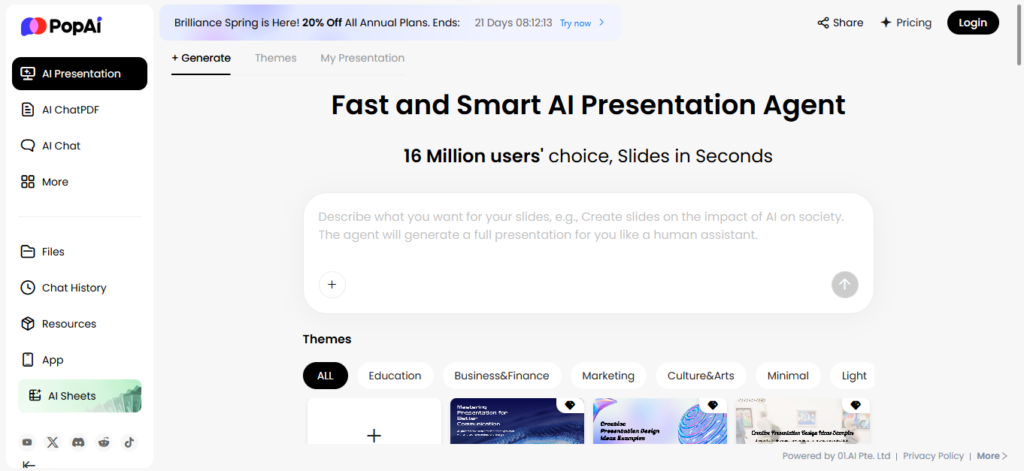
PopAI is packed with powerful tools that help you work faster and smarter. Whether you’re a student, professional, or content creator, PopAI AI combines multiple features into one simple platform.
Below are the most important features you should know.
1. AI-Powered Document Analysis (Chat with PDFs)
One of the best features of PopAI is its ability to read and understand documents.
You can upload files like:
- PDFs
- Word documents
- Text files
Then ask questions like:
- “Summarize this document”
- “Explain this section”
PopAI will give you clear answers in seconds. It can also extract key points and insights automatically.
Why it matters:
You don’t have to read long documents anymore—PopAI does it for you.
2. AI Presentation Generator
Creating slides is one of the strongest features of PopAI AI.
You simply enter a topic or upload content, and PopAI will:
- Create full presentations
- Add structured slides
- Suggest layouts and designs
It can even convert documents into slides automatically.
Why it matters:
You can create professional presentations in minutes instead of hours.
3. AI Writing and Content Generation
PopAI helps you write faster and better.
You can use it to:
- Write blog posts
- Generate essays
- Create summaries
- Rewrite or paraphrase content
It supports different tones and styles, making it useful for SEO and content creation.
Why it matters:
You save time and improve your writing quality.
4. AI Chat Assistant (Ask Anything)
PopAI includes a smart AI chat feature that works like a personal assistant.
You can:
- Ask questions
- Get instant answers
- Brainstorm ideas
- Solve problems step-by-step
It uses advanced AI to give helpful and accurate responses.
Why it matters:
It replaces multiple tools in one place.
5. Multi-Format Content Creation
With PopAI AI, you’re not limited to just text.
You can create:
- Presentations
- Images
- Charts and tables
- Structured reports
It even supports converting ideas into visual content automatically.
Why it matters:
Everything you need is in one platform—no need for extra tools.
6. Smart Data & Spreadsheet Tools
PopAI also includes tools for working with data.
You can:
- Generate tables
- Create spreadsheets
- Build formulas
- Analyze data
This makes it useful for business and research tasks.
Why it matters:
It simplifies complex data work.
7. Multilingual Support
PopAI supports multiple languages, allowing users worldwide to use it easily.
You can:
- Translate content
- Work in different languages
- Communicate globally
Some features support over 200 languages.
Why it matters:
Great for international users and teams.
8. Easy-to-Use Interface
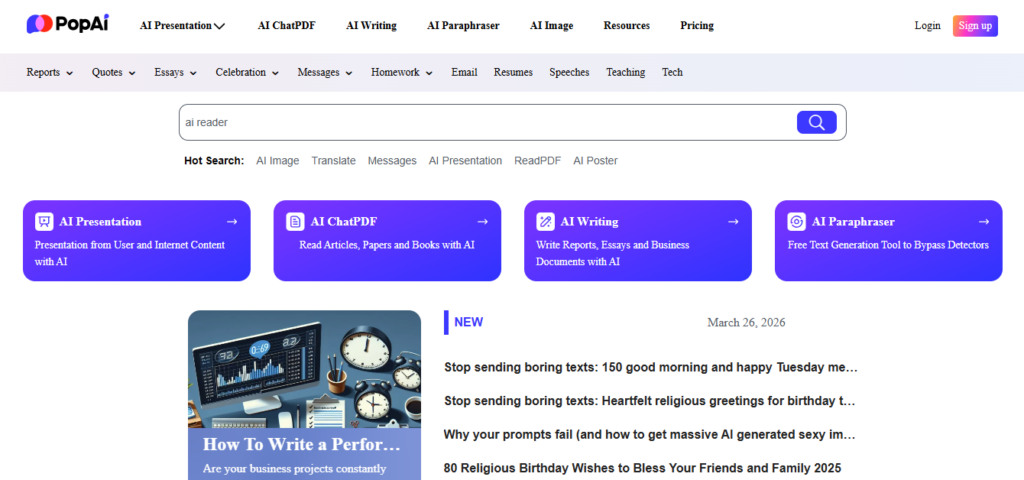
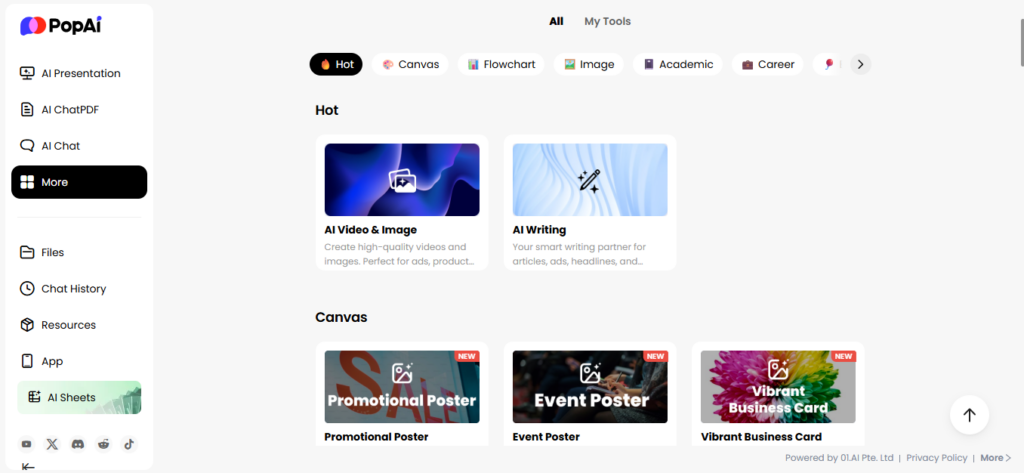
One of the biggest strengths of PopAI is its simple design.
- Clean dashboard
- Easy navigation
- Beginner-friendly
Even if you’re new to AI tools, you can start using PopAI right away.
Why it matters:
No technical skills needed.
9. All-in-One Productivity Tool
Instead of using many apps, Pop AI AI combines everything into one platform:
- Document reader
- AI writer
- Presentation maker
- Chat assistant
This “all-in-one” approach helps improve productivity and saves time.
Why it matters:
You get more value, especially considering the Pop AI cost compared to using multiple tools.
Quick Summary of PopAI Features
PopAI helps you:
- Understand documents faster
- Create presentations instantly
- Generate content
- Chat with AI for answers
- Work smarter with data and files
Choosing the right tools is important—not just for AI, but also for website performance. If you run a website, don’t miss our detailed comparison of LiteSpeed Cache vs WP Rocket to improve loading speed.
PopAI Pricing (PopAI Cost Breakdown)
Understanding the Pop AI cost is important before you decide to use the tool. The good news is that Pop AI offers flexible pricing plans for different types of users—from beginners to professionals.
Let’s break it down in a simple way.
1. PopAI Free Plan
Price: $0 (Free)
The free plan is perfect if you just want to test Pop AI AI.
What you get:
- Limited AI questions per day
- Basic document and chat features
- Limited file uploads
- Access to core tools
This plan is great for beginners, but it has usage limits.
Best for:
- Students trying it out
- Casual users
2. PopAI Pro Plan (Most Popular)
Price: Around $8–$12 per month
This is the most common plan for regular users.
What you get:
- More AI usage (higher limits)
- Full access to document tools (PDF, DOC)
- Better AI responses
- Access to advanced features
Some versions include up to 200 AI responses per month and larger document support.
Best for:
- Students
- Content creators
- Freelancers
3. PopAI Unlimited Plan
Price: Around $30–$40 per month
This plan gives you full power with almost no limits.
What you get:
- Unlimited AI usage
- Unlimited document uploads
- Full access to all features
- Faster performance
This is ideal if you use Pop AI AI every day.
Best for:
- Professionals
- Businesses
- Heavy users
4. Annual Plans (Save Money)
Pop AI also offers yearly plans at a lower cost.
- Around $8/month (billed yearly) for Pro
- Around $33/month (billed yearly) for Unlimited
This can save you money compared to monthly payments.
5. Mobile App Subscription Pricing
If you use Pop AI on mobile, pricing may look like this:
- $12 per month
- $30 per quarter
- $99 per year
These plans usually include higher usage limits and auto-renew subscriptions.
Quick PopAI Cost Summary
| Plan | Price | Best For |
|---|---|---|
| Free | $0 | Beginners |
| Pro | $8–$12/month | Regular users |
| Unlimited | $30–$40/month | Heavy users |
| Yearly | Discounted | Long-term users |
Is PopAI Worth the Cost?
For many users, Pop AI offers good value because it combines multiple tools in one platform.
Instead of paying for:
- A writing tool
- A presentation tool
- A PDF reader
You get everything in one place.
That’s why many people find the Pop AI cost reasonable—especially if you use it often.
Tips Before You Choose a Plan
- Start with the free plan first
- Upgrade only if you need more features
- Choose yearly billing to save money
- Avoid paying for features you won’t use
Final Thoughts on PopAI Pricing
The Pop AI cost is flexible and works for different budgets.
- Free plan → Good for testing
- Pro plan → Best value for most users
- Unlimited → Best for heavy usage
If you use AI tools often, Pop AI AI can actually save you money by replacing multiple subscriptions.
Pros and Cons of PopAI
Before you decide to use PopAI, it’s important to look at both the good and the bad. Like any tool, Pop AI AI has strong advantages—but also a few limitations.
Here’s a simple breakdown to help you decide.
Pros of PopAI
1. Easy to Use (Beginner-Friendly)
One of the biggest strengths of Pop AI is its simple interface.
- Clean layout
- Easy navigation
- No technical skills needed
Even if you’ve never used AI tools before, you can start quickly.
2. All-in-One AI Tool
Pop AI AI combines multiple tools in one place.
You can:
- Chat with documents
- Create presentations
- Generate content
- Analyze data
Why this matters:
You don’t need to pay for multiple apps, which helps justify the Pop AI cost.
3. Saves Time and Boosts Productivity
PopAI can do tasks in seconds that normally take hours.
For example:
- Summarizing long PDFs
- Creating slides
- Writing content
This makes it perfect for busy users.
4. Strong Document and PDF Features
The “chat with PDF” feature is one of the best parts of Pop AI.
- Ask questions about documents
- Get instant summaries
- Extract key points easily
This is very useful for students and professionals.
5. Fast Content and Presentation Creation
With Pop AI AI, you can:
- Generate blog content
- Create presentations instantly
- Turn ideas into structured outputs
Why this matters:
It speeds up content creation and improves workflow.
6. Flexible Pricing Options
The Pop AI cost is flexible with:
- Free plan for beginners
- Affordable Pro plan
- Unlimited plan for heavy users
This makes it accessible to different budgets.
Cons of Pop AI
1. Limited Features in Free Plan
The free version of Pop AI has restrictions:
- Limited AI usage
- Fewer features
- Smaller file uploads
You may need to upgrade to unlock full power.
2. Can Be Expensive for Some Users
While the Pro plan is affordable, the Unlimited plan may feel expensive for casual users.
- Monthly costs can add up
- Not ideal if you don’t use it often
3. AI Accuracy Is Not Always Perfect
Like most AI tools, Pop AI AI is not 100% accurate.
- Sometimes gives incorrect answers
- May need manual checking
Tip: Always review important content before using it.
4. Internet Required
Pop AI works online, so:
- You need a stable internet connection
- No offline access
This can be a limitation in some situations.
5. Learning Curve for Advanced Features
While basic features are easy, some advanced tools may take time to learn.
- Presentation customization
- Data tools
Quick Pros and Cons Summary
Pros
- Easy to use
- All-in-one platform
- Saves time
- Strong document tools
- Flexible pricing
Cons
- Free plan is limited
- Paid plans can be costly
- Not always 100% accurate
- Requires internet
Is PopAI Worth It Based on Pros and Cons?
If you:
- Work with documents often
- Create content or presentations
- Want to save time
Then Pop AI AI is a strong choice.
But if you:
- Only need basic features
- Don’t use AI tools often
The free plan may be enough.
Final Thoughts
PopAI is a powerful and easy-to-use AI tool with many benefits. While it has a few downsides, most users find the advantages far outweigh the limitations.
For many people, the value you get makes the Pop AI cost worth it.
PopAI vs Competitors (Detailed Comparison)
When choosing an AI tool, it’s important to compare options. PopAI is powerful, but how does it stack up against other popular tools?
In this section, we compare Pop AI AI with top competitors like ChatGPT, Notion AI, Canva AI, and Google Gemini.
Quick Overview: PopAI vs Other AI Tools
- Pop AI → Best for documents, PDFs, and presentations
- ChatGPT → Best for general AI conversations and research
- Notion AI → Best for workspace and note-taking
- Canva AI → Best for design and visuals
- Google Gemini → Best for Google ecosystem users
PopAI vs ChatGPT
Key Difference
- Pop AI focuses on documents and presentations
- ChatGPT focuses on conversation and general knowledge
Comparison
| Feature | Pop AI | ChatGPT |
|---|---|---|
| Ease of use | Very simple | Simple |
| Document chat | Strong | Strong |
| Presentation creation | Excellent | Limited |
| AI creativity | Good | Excellent |
| Use case | Productivity | General AI |
ChatGPT is known for strong reasoning and conversation abilities powered by advanced models.
Final verdict:
- Choose PopAI for productivity and presentations
- Choose ChatGPT for deep research and flexible tasks
PopAI vs Notion AI
Key Difference
- Pop AI AI is a standalone tool
- Notion AI is built inside a workspace
Notion AI works inside documents and projects, helping users write and manage tasks in one place.
Comparison
| Feature | Pop AI | Notion AI |
|---|---|---|
| Integration | Standalone | Built into Notion |
| Document analysis | Strong | Limited to workspace |
| Presentation tools | Excellent | Not available |
| Collaboration | Basic | Strong |
| Learning curve | Easy | Medium |
Final verdict:
- Choose Pop AI for document-heavy tasks
- Choose Notion AI for team collaboration
PopAI vs Canva AI
Key Difference
- Pop AI focuses on content + slides
- Canva AI focuses on design + visuals
Comparison
| Feature | Pop AI | Canva AI |
|---|---|---|
| Presentation creation | AI-driven content | Design-focused |
| Templates | AI-generated | Pre-designed |
| Ease of design | Automatic | Manual customization |
| Best for | Content + slides | Visual design |
Final verdict:
- Choose Pop AI for fast presentations
- Choose Canva AI for design control
PopAI vs Google Gemini
Key Difference
- Pop AI AI is focused on productivity tools
- Gemini is a general AI assistant
Comparison
| Feature | Pop AI | Google Gemini |
|---|---|---|
| Document chat | Strong | Moderate |
| Real-time info | Limited | Strong |
| Integration | Limited | Google apps |
| Use case | Work + study | Research + browsing |
Final verdict:
- Choose Pop AI for structured work
- Choose Gemini for real-time answers
10 Key Comparison Categories (Pop AI vs Competitors)
Here’s a deeper comparison across important factors:
- Ease of Use – Pop AI is beginner-friendly
- Features & Tools – Pop AI offers all-in-one productivity
- AI Accuracy – ChatGPT and Gemini may perform better
- Document Handling – Pop AI is one of the best
- Presentation Creation – Pop AI leads in this area
- Pricing (Pop AI cost vs others) – Competitive and flexible
- Speed & Performance – All tools are fast
- Customization – Canva and Notion offer more control
- Collaboration – Notion AI is strongest
- Best Use Cases – Depends on your needs
Which Tool Should You Choose?
Choose Pop AI if you want:
- A simple, all-in-one tool
- Strong document and PDF features
- Fast presentation creation
Choose competitors if you need:
- Deep conversations (ChatGPT)
- Team collaboration (Notion AI)
- Design tools (Canva AI)
- Real-time search (Gemini)
Final Thoughts
Pop AI stands out because it combines multiple features into one simple platform. While other tools may be stronger in specific areas, Pop AI AI offers a balanced solution for productivity, content creation, and presentations.
For many users, this makes the Pop AI cost worth it—especially if you want everything in one place.
Final Verdict: Is PopAI Worth It in 2026?
Pop AI has quickly become one of the most useful all-in-one AI tools for productivity. In this guide, we’ve seen how Pop AI AI can help you:
- Analyze and chat with documents
- Create presentations in minutes
- Generate content
- Save time on daily tasks
It stands out because it combines multiple tools into one simple platform. Instead of switching between apps, you can do everything in one place.
When it comes to pricing, the Pop AI cost is flexible. You can start for free, then upgrade only if you need more features. This makes it a good option for both beginners and professionals.
Of course, it’s not perfect. The free plan has limits, and AI responses may need checking. But overall, the benefits clearly outweigh the downsides for most users.
Final Thoughts
If you:
- Work with documents often
- Create presentations or content
- Want to save time and boost productivity
Then Pop AI is definitely worth trying.
Call to Action
Ready to see what this AI tool can do for you?
- Try it for free and explore its features
- Upgrade if you need more power
- Use it to simplify your workflow
Start using Pop AI today and experience smarter, faster work.