Choosing the right WordPress WP security plugin is essential to protect your website from hackers, malware, and other cyber threats. With so many plugins available, it can be challenging to know which one offers the best balance of features, usability, and performance. In this guide, we compare the top security plugins—Wordfence, Sucuri, and MalCare—exploring their core features, pricing, and suitability for beginners and advanced users, so you can pick the best solution for your WordPress site in 2026.
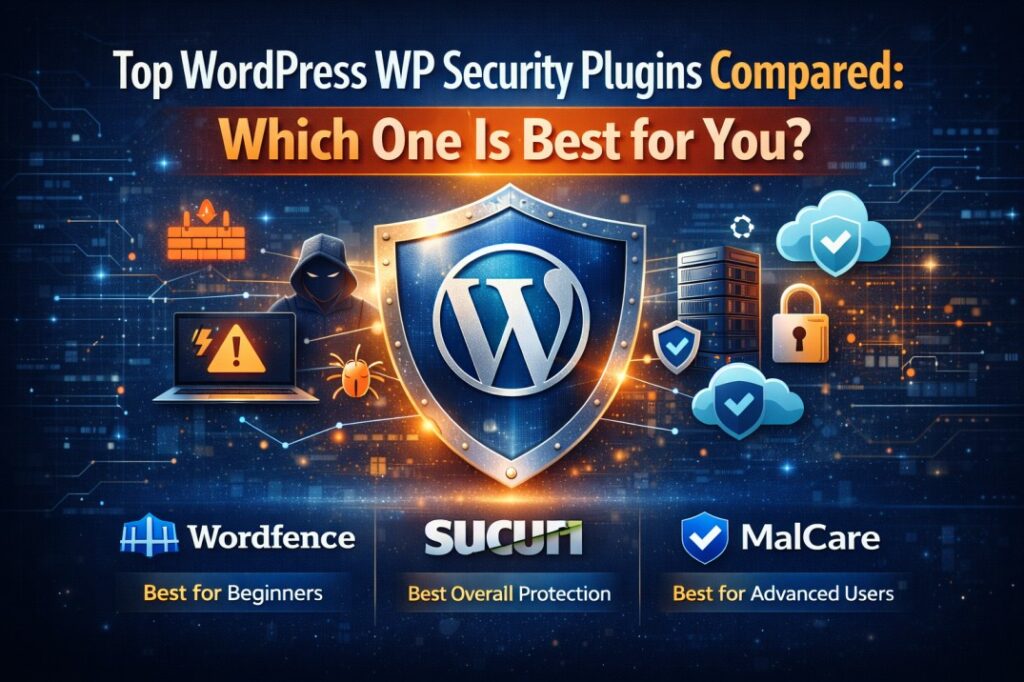
Table of Contents
Overview & What to Look For in a WordPress Security Plugin
Choosing the right WordPress WP security plugin is critical to keeping your website safe from hackers, malware, and other cyber threats. With WordPress powering over 40% of websites globally, it has become a prime target for attacks. A robust security plugin protects not only your site but also your visitors and sensitive data.
However, not all security plugins are created equal. To make the best choice, you need to understand the features that matter most for your site’s safety.
Key Features to Look For in a WordPress WP Security Plugin
- Malware Detection & Cleanup
A strong plugin should scan your site for malware, malicious code, and backdoors. Advanced plugins like Wordfence, Sucuri, and MalCare offer automated or one-click cleanup, helping prevent downtime and data loss.

- Firewall Protection (WAF)
A Web Application Firewall blocks malicious traffic before it reaches your website. Look for plugins that offer cloud-based or server-level firewalls, like Sucuri, which filters traffic externally for better performance.
- Login Security & Brute-Force Protection
Protecting your login page is essential. Features to look for include:
- Two-factor authentication (2FA)
- Login attempt limits
- CAPTCHA
- IP blocking
Plugins like Wordfence excel in login security, especially for beginners.
- Real-Time Threat Detection & Alerts
A good WordPress WP security plugin continuously monitors your site and alerts you instantly if a threat is detected. Real-time monitoring ensures quick response to malware, suspicious login attempts, or file changes.
- File Integrity Monitoring
This feature tracks changes to WordPress core files, themes, and plugins. Any unauthorized modifications could indicate a hack, allowing immediate action before serious damage occurs.
- Ease of Use & Dashboard Clarity
Even the best security plugin is ineffective if it’s too complicated. Beginner-friendly plugins like MalCare provide setup wizards, clear dashboards, and easy-to-understand recommendations.
Why Choosing the Right Plugin Matters
Selecting the right WordPress WP security plugin ensures that your site is protected without slowing it down or requiring constant manual intervention. The wrong plugin could leave your site vulnerable or overwhelm you with complex settings.
By focusing on features like malware scanning, firewall protection, real-time monitoring, and ease of use, you can choose a plugin that meets your site’s specific needs—whether you’re a small blogger, a business owner, or running a high-traffic eCommerce site.
Impact-Site-Verification: 6abce935-cc21-4d33-9ccd-cb5d4d07e1fd
Core Security Features
When choosing a WordPress WP security plugin, understanding the core security features is crucial. These features form the backbone of website protection and help prevent malware, hacking attempts, and other cyber threats. The most effective plugins—like Wordfence, Sucuri, and MalCare—include these essential tools.
1. Malware Detection & Cleanup
A strong plugin should scan your entire site, including core files, themes, plugins, and databases, for malware or malicious code. Premium plugins such as MalCare provide automatic malware removal, while Wordfence and Sucuri alert you immediately if an infection is detected.
2. Web Application Firewall (WAF)
A firewall acts as a barrier between your website and malicious traffic. It blocks attacks such as SQL injections, cross-site scripting (XSS), and brute-force login attempts.
- Wordfence: Plugin-level firewall with real-time blocking
- Sucuri: Cloud-based firewall that filters traffic before it reaches your server
- MalCare: Smart firewall with automatic threat blocking
3. Login Security & Brute-Force Protection
Protecting your login page is critical. Look for features like:
- Two-factor authentication (2FA)
- Login attempt limits
- CAPTCHA verification
- IP blocking
Wordfence is especially beginner-friendly for login security, while Sucuri and MalCare offer strong protection for business and eCommerce sites.
4. Real-Time Threat Detection & Monitoring
Continuous monitoring is a must. A good WordPress WP security plugin alerts you immediately if suspicious activity occurs. This includes:
- Malware detection
- Unauthorized file changes
- Suspicious login attempts
MalCare offers fully automated real-time scanning, Wordfence provides instant alerts, and Sucuri monitors through cloud-based threat detection.
5. File Integrity Monitoring
This feature tracks changes to WordPress core files, themes, and plugins. Any unexpected modifications may indicate a hack, allowing you to take action before serious damage occurs.
6. Automatic Updates & Security Hardening
Many plugins include features to strengthen your site automatically:
- Disable file editing in WordPress dashboard
- Protect wp-admin folder
- Apply security best practices automatically
Wordfence, Sucuri, and MalCare all provide varying levels of hardening and automated updates to reduce vulnerability.
Why Core Features Matter
Without these core security features, your website remains vulnerable to attacks that can lead to downtime, lost revenue, or stolen user data. Choosing a WordPress WP security plugin with robust malware scanning, firewall protection, real-time monitoring, and easy hardening ensures comprehensive protection for any type of WordPress site.
Pricing & Plans (Free vs Premium)
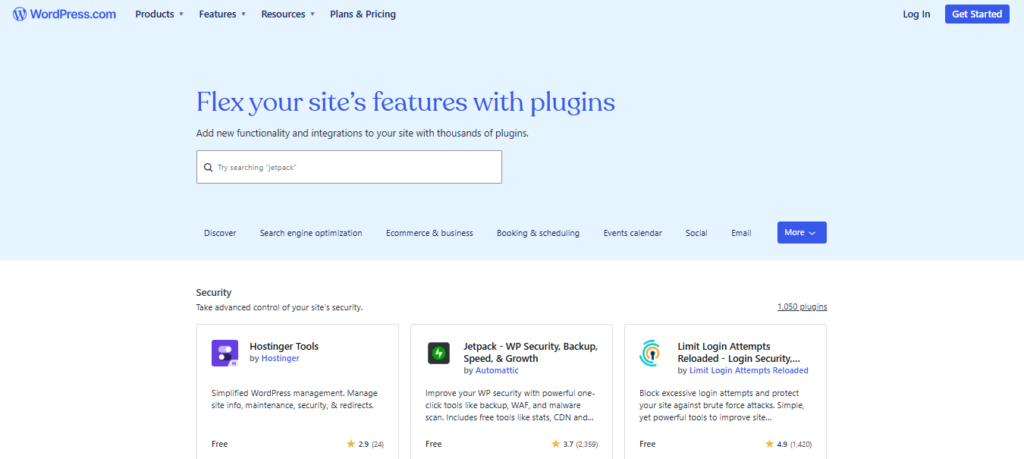
Understanding the pricing and plan differences is essential when choosing a WordPress WP security plugin. Most top plugins offer both free and premium versions, but the features and level of protection vary significantly. Knowing what each plan provides helps you pick the right solution for your site.
Free Plans – Basic Protection
Many WordPress security plugins offer free versions suitable for small blogs, hobby sites, or beginners. Typical free features include:
- Basic malware scanning
- Limited firewall protection
- Brute-force login protection
- Simple security hardening options
Examples:
- Wordfence Free: Includes firewall, malware scanning, and login security. Good for small websites but lacks real-time threat intelligence.
- MalCare Free: Offers basic malware scanning, but automatic malware cleanup is only in premium.
- Sucuri: Only limited free monitoring; firewall and advanced protection require paid plans.
Premium Plans – Advanced Security
Premium plans unlock advanced features for businesses, WooCommerce stores, and high-traffic websites. Typical premium features include:
- Real-time malware scanning & automatic cleanup
- Advanced Web Application Firewall (WAF)
- Scheduled scans and activity monitoring
- Priority support and expert assistance
- Detailed reporting and threat alerts
Pricing Overview:
- Wordfence Premium: Starts at $99/year for one site. Includes real-time firewall rules, malware cleanup, and premium support.
- Sucuri Website Security Platform: Starts at $199.99/year, including cloud firewall, malware removal, and DDoS protection.
- MalCare Premium: Starts at $99/year per site, offering automatic malware removal, real-time monitoring, and advanced firewall.
Free vs Premium – Key Differences
| Feature | Free Plan | Premium Plan | Plugin Example |
|---|---|---|---|
| Malware Scanning | ✔️ | ✔️ | Wordfence, MalCare |
| Real-Time Malware Protection | ❌ | ✔️ | All three |
| Automatic Malware Cleanup | ❌ | ✔️ | MalCare, Sucuri |
| Advanced Firewall (WAF) | ❌ | ✔️ | Sucuri, Wordfence |
| Priority Support | ❌ | ✔️ | All three |
| Scheduled Scans | ❌ | ✔️ | Wordfence, MalCare |
Choosing the Right Plan
- Free Plans: Ideal for personal blogs, small websites, or anyone testing WordPress security basics.
- Premium Plans: Recommended for businesses, eCommerce sites, or high-traffic websites where automated malware cleanup, real-time monitoring, and advanced firewall are essential.
Final Takeaway
A WordPress WP security plugin is an investment in your site’s safety. Free versions provide a basic foundation, but premium plans give you peace of mind with automated threat removal, real-time monitoring, and stronger firewall protection. For most businesses and serious websites, premium protection from Wordfence, Sucuri, or MalCare is worth the cost.
Firewall & Malware Protection
A robust WordPress WP security plugin relies heavily on firewall and malware protection. These features form the backbone of your website’s security, preventing attacks, detecting malicious activity, and keeping your site safe from hackers and malware.
Plugins like Wordfence, Sucuri, and MalCare excel in these areas, offering both automated and advanced protection options.
1. Web Application Firewall (WAF)
A firewall acts as the first line of defense, blocking malicious traffic before it reaches your website.
- Wordfence: Offers a plugin-level firewall that blocks attacks such as SQL injection, XSS, and brute-force login attempts. Real-time updates ensure the firewall stays effective against emerging threats.
- Sucuri: Uses a cloud-based firewall, filtering traffic before it reaches your server. This reduces server load while providing enterprise-level protection.
- MalCare: Provides a smart firewall with automatic threat detection and blocking for both small blogs and eCommerce sites.
2. Malware Scanning & Detection
Malware can enter your site through vulnerable plugins, themes, or outdated WordPress files. A high-quality WordPress WP security plugin should perform deep scans to detect threats early.
- Wordfence: Scans core files, themes, and plugins, alerting you to potential malware and unauthorized file changes.
- Sucuri: Monitors website integrity and provides alerts for malware or suspicious activity.
- MalCare: Offers automated daily scans and detects even complex malware that other plugins might miss.
3. Automatic Malware Removal
Detection alone isn’t enough—removing malware quickly is essential.
- MalCare Premium: Offers one-click malware removal, cleaning your site automatically without technical knowledge.
- Wordfence Premium: Provides guided steps to remove malware safely.
- Sucuri: Includes professional malware cleanup in its premium plans, ideal for business and eCommerce sites.
4. Real-Time Protection & Alerts
Modern plugins offer real-time monitoring to stop attacks before they cause damage.
- Wordfence: Alerts users instantly when malicious activity is detected, including blocked IPs or brute-force attempts.
- Sucuri: Monitors web traffic continuously and blocks suspicious activity with its cloud firewall.
- MalCare: Sends notifications of malware threats and automatically quarantines infected files.
Why Firewall & Malware Protection Matter
Without effective firewall and malware protection, even a well-maintained WordPress site can be compromised. Using a WordPress WP security plugin like Wordfence, Sucuri, or MalCare ensures that attacks are prevented, threats are detected early, and malware is removed efficiently—keeping your website, users, and search engine rankings safe.
Ease of Installation & User Interface
A WordPress WP security plugin can be packed with features, but if it’s difficult to install or confusing to use, it won’t provide effective protection. Ease of installation and a clear, intuitive user interface are crucial—especially for beginners who want strong security without technical headaches.
Plugins like Wordfence, Sucuri, and MalCare balance powerful security features with user-friendly design.
1. Simple Installation
Most high-quality security plugins can be installed directly from the WordPress dashboard in just a few steps:
- One-click installation from the plugin repository
- Automatic initial setup with basic protection enabled
- Optional setup wizard for configuring advanced features
Examples:
- MalCare: Beginner-friendly installation with automatic scanning immediately after activation.
- Wordfence: Easy installation with default firewall and malware scanning enabled.
- Sucuri: Simple plugin install, with cloud firewall setup handled externally.
2. Guided Setup & Wizards
A good WordPress WP security plugin provides setup wizards that guide you through essential configurations. This ensures even beginners can activate key protections without confusion.
- MalCare: Automatic setup with recommended settings based on your site type.
- Wordfence: Step-by-step setup for firewall rules and login security.
- Sucuri: Quick configuration guide for connecting the cloud firewall.
3. Intuitive Dashboard
The plugin dashboard is your main control center. It should clearly display:
- Overall security status
- Alerts for threats or blocked attacks
- Scan results
- Quick access to firewall, malware scan, and login protection
MalCare offers a clean, minimalist dashboard, while Wordfence provides detailed logs and real-time stats. Sucuri focuses on high-level monitoring with alerts prominently displayed.
4. Clear Navigation & Settings
Security plugins often include many features, but they must be organized logically:
- Grouping settings by firewall, malware scanning, login security, and monitoring
- Tooltips or short descriptions explaining each option
- Beginner and advanced modes to suit all users
Example: Wordfence and MalCare both allow beginners to use default settings while giving advanced users access to detailed configuration.
5. Beginner vs Advanced User Experience
- Beginners: Benefit from plugins like MalCare and Wordfence Free with automatic scans, simple dashboards, and one-click malware removal.
- Advanced Users: Can use Wordfence Premium or Sucuri to configure custom firewall rules, file monitoring, and detailed activity logs.
Why Ease of Use Matters
Even the most feature-rich WordPress WP security plugin is ineffective if the user cannot navigate or configure it. Clear installation, guided setup, and a clean interface ensure that security features are active and properly maintained—reducing the risk of vulnerabilities.
Compatibility with Themes & Other Plugins
When choosing a WordPress WP security plugin, compatibility is a key factor. Even the most powerful security plugin can cause conflicts if it doesn’t work well with your WordPress theme or other plugins, such as page builders, caching tools, or eCommerce platforms like WooCommerce. Ensuring compatibility keeps your site secure without breaking functionality.
1. Theme Compatibility
Most premium security plugins like Wordfence, Sucuri, and MalCare are designed to work with the vast majority of WordPress themes. However, conflicts can occur if a theme uses custom login pages or non-standard code.
Tips:
- Test the security plugin on a staging site before activating it on your live site.
- Look for plugins that automatically detect theme-specific customizations and adapt firewall rules accordingly.
2. Plugin Compatibility
A WordPress WP security plugin should integrate smoothly with other essential plugins. Common areas to check include:
- Caching Plugins: Security plugins must avoid interfering with caching tools like WP Rocket or LiteSpeed Cache.
- Page Builders: Page builders such as Elementor, Divi, and Gutenberg should remain fully functional.
- eCommerce Plugins: WooCommerce requires security plugins that protect login pages, checkout forms, and sensitive customer data.
Example:
- Wordfence: Compatible with most popular themes and plugins; some advanced firewall rules may require minor adjustments.
- Sucuri: Cloud-based firewall ensures minimal conflicts with other plugins and themes.
- MalCare: Designed to work seamlessly with caching plugins, WooCommerce, and popular page builders.
3. Multi-Site & Network Compatibility
For WordPress multisite installations, compatibility is even more critical. Plugins like Wordfence and MalCare support multisite networks, allowing you to manage security for all sites from a single dashboard.
4. Why Compatibility Matters
Installing a WordPress WP security plugin that conflicts with your theme or other plugins can cause:
- Broken layouts or pages
- Site errors or crashes
- Reduced website performance
- Incomplete protection if features are disabled
By choosing a WordPress WP security plugin that prioritizes compatibility, you ensure that your site remains secure without sacrificing usability or performance.
Best for Beginners vs Advanced Users
Not every WordPress WP security plugin is suitable for every user. Some plugins are designed for beginners who want strong protection with minimal setup, while others are tailored for advanced users who need granular control over every security setting. Understanding which plugin fits your skill level ensures you get the protection you need without unnecessary complexity.
🟢 Best for Beginners
Beginners often want easy setup, automatic protection, and a clean dashboard without navigating complex configurations. The following plugins are ideal for those new to WordPress security:
- MalCare: Beginner-friendly dashboard, automatic malware scanning and removal, and one-click setup. Perfect for bloggers and small businesses who want strong protection without technical hassle.
- Wordfence Free: Provides essential protection, including firewall and malware scanning, with default settings that are safe for most sites. Beginners can upgrade to Premium for advanced features later.
Why these work for beginners:
- Quick installation and setup wizards
- Minimal manual configuration required
- Automatic malware removal and alerts
🔧 Best for Advanced Users
Advanced users, developers, and website managers often require customization, detailed monitoring, and advanced firewall rules. These plugins allow you to fine-tune protection according to your site’s specific needs:
- Wordfence Premium: Advanced firewall rules, detailed activity logs, file scanning customization, and IP blocking. Ideal for medium to high-traffic websites or developers managing multiple sites.
- Sucuri: Cloud-based firewall with DDoS protection, real-time malware monitoring, and detailed reporting. Excellent for eCommerce sites and enterprise-level WordPress installations.
Why these work for advanced users:
- Custom firewall rules and threat blocking
- Detailed reports and logs for monitoring suspicious activity
- Integration with multisite networks and external monitoring tools
⚖️ Quick Comparison: Beginners vs Advanced
| Feature | Beginner-Friendly | Advanced-Focused |
|---|---|---|
| One-Click Malware Removal | ✔️ | ✔️ (manual optional) |
| Dashboard Simplicity | ✔️ | ❌ (detailed stats) |
| Custom Firewall Rules | ❌ | ✔️ |
| File Monitoring Customization | ❌ | ✔️ |
| Real-Time Alerts | ✔️ | ✔️ |
| Best Plugins | MalCare, Wordfence Free | Wordfence Premium, Sucuri |
🧠 Choosing the Right Plugin for Your Skill Level
- Beginners: Focus on plugins like MalCare or Wordfence Free for automatic protection and easy maintenance.
- Advanced Users: Choose Wordfence Premium or Sucuri for granular control, advanced firewall options, and detailed monitoring.
By matching your skill level to the right WordPress WP security plugin, you can ensure your site stays safe without unnecessary frustration or technical complexity.
Pros & Cons Summary
When selecting a WordPress WP security plugin, it’s important to weigh the strengths and limitations of each option. While plugins like Wordfence, Sucuri, and MalCare offer comprehensive protection, understanding their pros and cons helps you make the best decision for your website.
✅ Pros of WordPress WP Security Plugins
- Comprehensive Protection – These plugins provide malware scanning, firewall protection, login security, and real-time monitoring in one package.
- Ease of Use – Beginner-friendly dashboards and setup wizards make it easy to activate essential security measures.
- Automated Features – Premium versions offer automatic malware removal, scheduled scans, and real-time threat blocking.
- Customizable for Advanced Users – Plugins like Wordfence Premium and Sucuri allow detailed firewall rules, file monitoring, and reporting.
- Peace of Mind – Continuous monitoring ensures that your site, visitors, and data remain safe from attacks.
❌ Cons of WordPress WP Security Plugins
- Premium Features Can Be Costly – Free versions are limited; real-time malware removal, advanced firewall, and cloud protection require paid plans.
- Potential Performance Impact – Some plugins may slightly slow down your site, especially if real-time scanning is enabled.
- Learning Curve for Advanced Features – Advanced configurations can overwhelm beginners.
- False Positives – Aggressive firewall rules may occasionally block legitimate users or plugins.
- Maintenance Required – Plugins need regular updates to stay effective against new threats.
Quick Plugin-Specific Notes
| Plugin | Pros | Cons | Best For |
|---|---|---|---|
| Wordfence Free | Beginner-friendly, malware scanning, firewall | Limited real-time updates | Small blogs, beginners |
| Wordfence Premium | Advanced firewall, detailed monitoring | Paid plan required | Medium to large sites, advanced users |
| Sucuri | Cloud firewall, DDoS protection, malware cleanup | Higher price | eCommerce, business sites |
| MalCare | Automatic malware removal, clean dashboard | Paid plan for full features | Beginners & small businesses |
Why This Matters
Choosing the right WordPress WP security plugin is not just about features—it’s about matching your site’s needs and your skill level. By considering pros and cons, you can select a plugin that balances protection, usability, and cost while keeping your site secure.
Final Verdict & Recommendations
Choosing the right WordPress WP security plugin can be the difference between a secure, trustworthy website and one that is vulnerable to hacks, malware, and downtime. After comparing the key features, pricing, usability, and protections offered by Wordfence, Sucuri, and MalCare, here’s how we recommend each tool based on your specific needs.
🏆 Best Overall Security Solution: Sucuri
If you want comprehensive protection with minimal setup, Sucuri stands out.
Why we recommend it:
- Cloud‑based Web Application Firewall (WAF) blocks threats before they reach your site
- Automatic malware detection and professional cleanup
- Includes DDoS protection and performance benefits through global CDN
- Ideal for business and eCommerce sites where uptime and reputation matter
Best for:
✔️ High‑traffic websites
✔️ Online stores (WooCommerce, etc.)
✔️ Businesses that want outsourced cleanup and full‑stack protection
📌 Bottom line: Sucuri is worth the investment if security and performance are top priorities for your site.
🥇 Best for Beginners & Small Sites: MalCare
For bloggers, small businesses, and site owners who want easy setup and automatic protection, MalCare is an excellent choice.
Why we recommend it:
- Beginner‑friendly dashboard with guided setup
- Automatic malware scanning and one‑click cleanup
- Real‑time monitoring without confusing configuration
- Excellent balance of features vs. price
Best for:
✔️ Personal blogs
✔️ Small business websites
✔️ Non‑technical users
📌 Bottom line: MalCare makes strong WordPress security simple without sacrificing essential protection.
💪 Best for Advanced Users & Customization: Wordfence Premium
If you’re a developer, site manager, or advanced user who wants granular control, Wordfence Premium is unmatched.
Why we recommend it:
- Detailed activity logs and advanced firewall rule sets
- File integrity monitoring and extensive scan options
- Customizable login security and threat blocking
- Strong reporting and integration with developer workflows
Best for:
✔️ Developers managing multiple sites
✔️ Medium to large business sites
✔️ Users who want fine‑tuned security control
📌 Bottom line: Wordfence Premium is perfect if you want deep insights and customized security.
Recommendation Summary
| Use Case | Best Plugin | Why |
|---|---|---|
| Beginner / Non‑Technical | ✔️ MalCare | Easiest setup & automated protection |
| Business / High‑Traffic | ✔️ Sucuri | Enterprise‑level defense & performance |
| Advanced / Developer | ✔️ Wordfence Premium | Custom controls & detailed analytics |
Final Thoughts
There’s no one‑size‑fits‑all answer—but by understanding your goals and skill level, you can pick the WordPress WP security plugin that fits your site perfectly.
- Want the easiest path to solid protection? Go with MalCare.
- Need enterprise‑level security and performance? Choose Sucuri.
- Prefer deep custom control and detailed insights? Pick Wordfence Premium.
All WordPress WP security plugin offer excellent security fundamentals and will dramatically improve your WordPress site’s defenses compared to having no security plugin at all.
For the best overall WordPress setup, we recommend pairing your WordPress WP security plugin with LiteSpeed Cache. This combination keeps your site safe from threats and optimized for speed. Read our detailed guide on LiteSpeed Cache to get started.
FAQs About WordPress WP Security Plugin
1. What is a WordPress WP security plugin?
A WordPress WP security plugin is a tool designed to protect your WordPress website from hackers, malware, and other security threats. It typically includes features like malware scanning, firewall protection, login security, and real-time monitoring to keep your website safe.
2. Why do I need a WordPress WP security plugin for my site?
Even small WordPress sites are vulnerable to attacks. Using a WordPress WP security plugin helps prevent unauthorized access, malware infections, and data breaches, ensuring that your website, users, and sensitive information remain secure.
3. Which WordPress WP security plugin is best for beginners?
For beginners, a plugin like MalCare or Wordfence Free is recommended. These WordPress WP security plugins offer one-click setup, automatic malware scanning, and easy-to-use dashboards, making security management simple for non-technical users.
4. Can a WordPress WP security plugin affect website speed?
Some WordPress WP security plugins perform real-time scanning and firewall operations, which can slightly impact site speed. Choosing plugins that are optimized for performance, like Sucuri or MalCare, ensures your website stays secure without noticeable slowdowns.
5. Are WordPress WP security plugins compatible with caching plugins?
Yes. Most modern WordPress WP security plugins such as Wordfence, Sucuri, and MalCare are compatible with popular caching plugins like LiteSpeed Cache, WP Rocket, and others. This allows your website to remain secure and fast.
6. Do I need the premium version of a WordPress WP security plugin?
While free versions of a WordPress WP security plugin provide basic protection, premium plans unlock advanced features such as real-time malware removal, cloud firewall, DDoS protection, and priority support. For business or eCommerce sites, premium plans are highly recommended.
7. Can a WordPress WP security plugin prevent brute-force attacks?
Absolutely. Most WordPress WP security plugins include login security features such as two-factor authentication, IP blocking, and login attempt limits to prevent brute-force attacks on your website.
8. How often should I update my WordPress WP security plugin?
It’s crucial to keep your WordPress WP security plugin updated regularly. Updates ensure that the plugin can defend against new threats, fix vulnerabilities, and stay compatible with WordPress core updates and other plugins.
9. Can a WordPress WP security plugin work on WooCommerce sites?
Yes. Top WordPress WP security plugins like Sucuri and Wordfence are fully compatible with WooCommerce, providing protection for login pages, checkout forms, and sensitive customer data without interfering with the store’s functionality.
10. How do I choose the best WordPress WP security plugin for my site?
To select the right WordPress WP security plugin, consider your skill level, website type, and desired features. Beginners may prefer MalCare, while advanced users may opt for Wordfence Premium or Sucuri for more control and enterprise-level protection.