All in One SEO vs Yoast is one of the most common debates among WordPress users looking to improve their website’s search engine performance. Both plugins offer powerful SEO tools, but they differ in features, ease of use, and pricing. In this comparison, we’ll break down everything you need to know—from installation and setup to content analysis, SEO features, and value for money—so you can choose the right plugin for your website.
Table of Contents
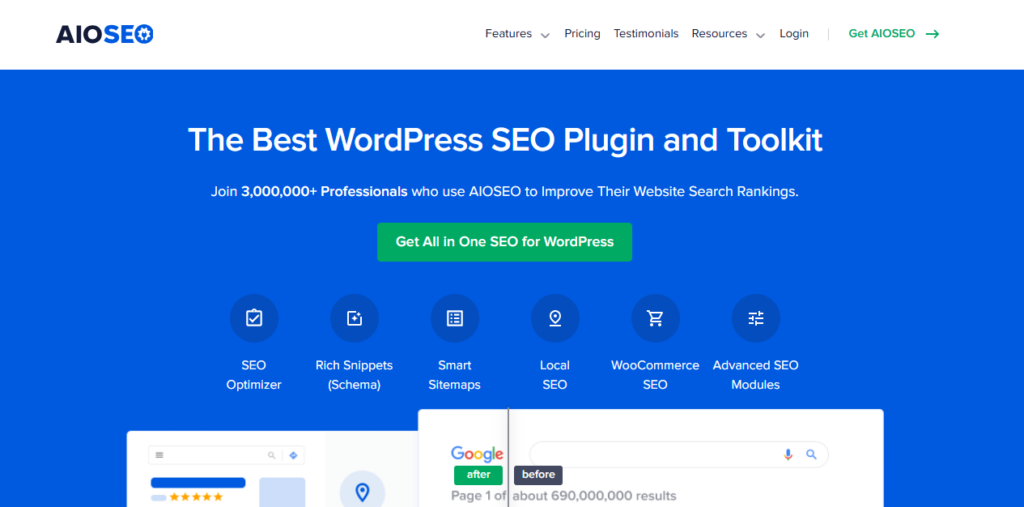
Overview of All in One SEO
When it comes to WordPress SEO plugins, All in One SEO (AIOSEO) has established itself as a powerful and beginner-friendly option. In this section of our All in One SEO vs Yoast comparison, we’ll explore what makes AIOSEO a popular choice for website owners.
Key Features of All in One SEO
All in One SEO offers a comprehensive suite of tools designed to improve your site’s search engine visibility:
- On-Page SEO Optimization: Easily set meta titles, descriptions, and focus keywords for posts and pages.
- XML Sitemaps: Automatically generates XML sitemaps to help search engines index your site.
- Schema Markup: Supports rich snippets, helping your content stand out in search results.
- Local SEO: Built-in tools to improve visibility for local businesses.
- Social Media Integration: Control how your content appears when shared on platforms like Facebook and Twitter.
- SEO Audit Checklist: A step-by-step guide to identify and fix SEO issues on your website.
Pricing & Plans
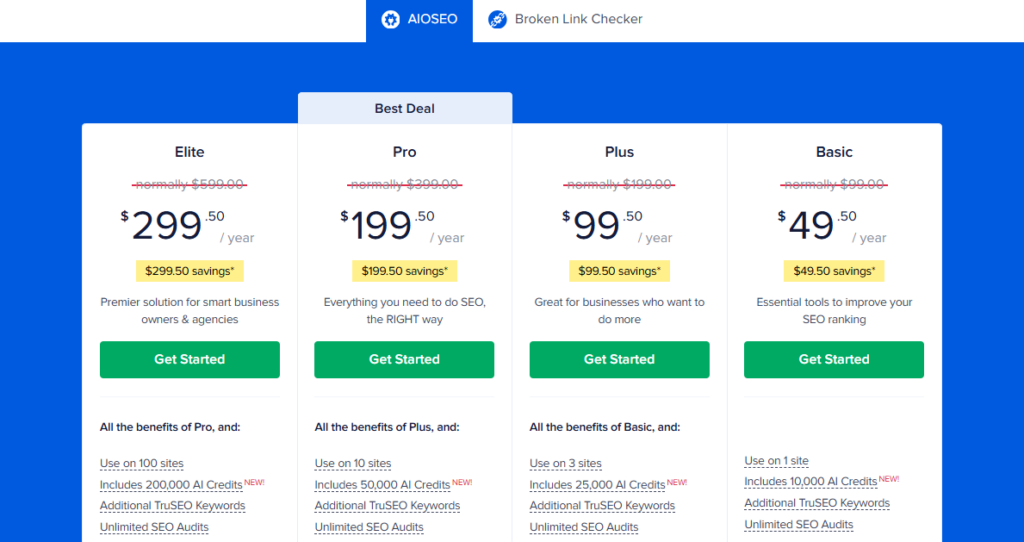
All in One SEO offers both free and premium plans. The free version provides essential SEO tools suitable for small blogs, while premium plans unlock advanced features such as local SEO, video sitemaps, and priority support.
Ease of Use
AIOSEO is designed with beginners in mind. The setup wizard walks you through initial configuration, ensuring your site’s SEO is optimized from the start. Its dashboard is intuitive, making it easy to manage SEO settings without needing technical expertise.
Why It Matters in the All in One SEO vs Yoast Comparison
When comparing All in One SEO vs Yoast, AIOSEO stands out for its clean interface, beginner-friendly setup, and robust feature set. Many users prefer it for sites that need a lightweight yet powerful SEO solution.
Overview of Yoast SEO
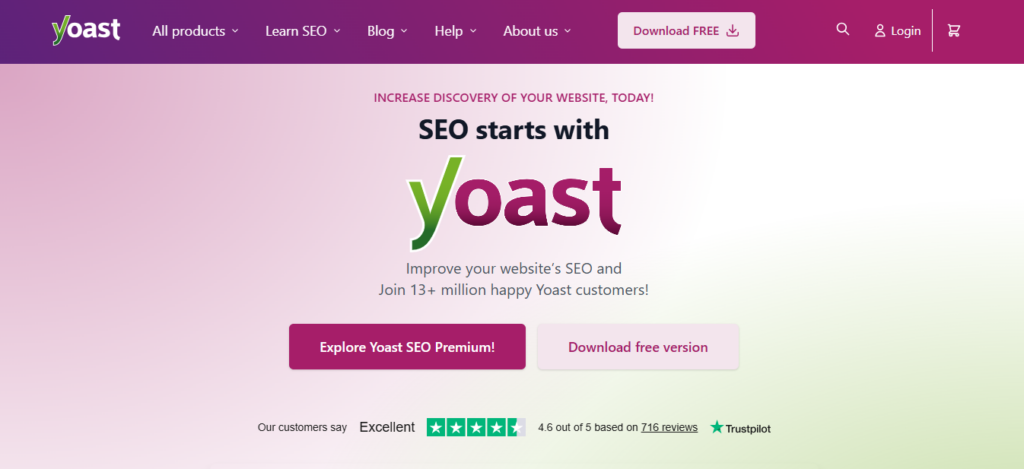
In the battle of All in One SEO vs Yoast, Yoast SEO is one of the most widely used WordPress SEO plugins, trusted by millions of websites worldwide. It combines powerful SEO tools with an intuitive interface, making it a favorite for both beginners and experienced site owners.
Key Features of Yoast SEO
Yoast SEO provides a robust set of features to help optimize your website for search engines:
- Content & SEO Analysis: Provides actionable suggestions for improving readability and keyword usage.
- Meta Titles & Descriptions: Easily customize titles and descriptions for posts, pages, and taxonomies.
- XML Sitemaps: Automatically generates sitemaps to improve indexing by search engines.
- Schema & Structured Data: Supports rich snippets to enhance your search result appearance.
- Internal Linking Suggestions: Helps improve site structure and SEO by suggesting relevant links.
- Redirect Manager (Premium): Helps manage broken URLs and maintain SEO authority.
- Social Previews: Shows how your content will appear on social media platforms.
Pricing & Plans
Yoast SEO comes in both a free and premium version. The free version offers essential SEO tools for bloggers and small websites, while Yoast SEO Premium includes advanced features such as multiple focus keywords, internal linking suggestions, and 24/7 support.
Ease of Use
Yoast SEO is designed to simplify SEO for WordPress users. Its traffic-light system makes it easy to see which pages are optimized and which need improvement. Beginners can quickly implement SEO best practices without any coding knowledge, while advanced users have access to detailed controls for fine-tuning.
Why It Matters in the All in One SEO vs Yoast Comparison
When comparing All in One SEO vs Yoast, Yoast SEO shines for its content analysis tools, readability suggestions, and strong community support. It is especially effective for content-driven websites that rely on high-quality posts and structured SEO guidance.
SEO Features Comparison
One of the most important aspects to consider in the All in One SEO vs Yoast debate is the SEO features each plugin offers. Both All in One SEO vs Yoast tools aim to improve your website’s visibility, but they do so in slightly different ways. Let’s break down the key features to see how they compare.
1. On-Page SEO Optimization
- All in One SEO: Offers a straightforward interface to set meta titles, descriptions, and focus keywords. It also provides an SEO score to help you optimize pages effectively.
- Yoast SEO: Goes further by providing a content analysis with keyword density, readability score, and suggestions for improvements. The traffic-light system makes it easy to see optimization status at a glance.
2. XML Sitemaps
- All in One SEO: Automatically generates XML sitemaps and allows customization, including excluding specific pages or posts.
- Yoast SEO: Also generates XML sitemaps automatically, with additional options to control sitemap structure and prioritize content for search engines.
3. Schema & Structured Data
- All in One SEO: Supports multiple schema types, including articles, products, and local business schemas.
- Yoast SEO: Offers structured data blocks and rich snippet support, which is particularly useful for blogs, eCommerce sites, and local businesses.
4. Social Media Integration
- All in One SEO: Lets you control how your content appears on social media, including Open Graph and Twitter Cards.
- Yoast SEO: Includes social previews and metadata customization to ensure your content looks professional when shared.
5. Internal Linking & SEO Recommendations
- All in One SEO: Provides basic internal linking suggestions and SEO audits.
- Yoast SEO: Premium version offers advanced internal linking suggestions, helping improve site structure and link equity across pages.
6. Advanced Features
- All in One SEO: Offers local SEO, video sitemaps, and WooCommerce integration in premium plans.
- Yoast SEO: Premium plans include multiple focus keywords, redirect management, and premium support.
Key Takeaway in the All in One SEO vs Yoast Comparison
Both All in One SEO vs Yoast plugins provide essential SEO tools, but Yoast SEO tends to be stronger for content-driven sites due to its readability analysis, traffic-light scoring, and internal linking suggestions. All in One SEO, on the other hand, is highly versatile, lightweight, and suitable for beginners or sites that need a clean, no-fuss SEO setup.
Pricing & Value for Money
When deciding between All in One SEO vs Yoast, pricing is often a major factor. Both All in One SEO vs Yoast plugins offer free versions with essential SEO features, but their premium plans differ in cost, features, and value. Understanding this can help you choose the best option for your website.
All in One SEO Pricing
- Free Version: Offers basic SEO tools like meta titles, descriptions, XML sitemaps, and basic schema support. Ideal for small blogs or beginner websites.
- Premium Plans: Start at around $49.50 per year for a single site, which includes advanced features such as:
- Local SEO tools
- Video SEO
- WooCommerce integration
- Priority support and advanced schema options
Value for Money: All in One SEO’s premium plans are considered affordable and feature-rich, especially for small business owners or bloggers who want a lightweight SEO solution without extra complexity.
Yoast SEO Pricing
- Free Version: Covers meta titles, descriptions, XML sitemaps, basic readability analysis, and a single focus keyword.
- Yoast SEO Premium: Costs $89 per year for one site. It includes:
- Multiple focus keywords
- Internal linking suggestions
- Redirect manager
- Social media previews
- Premium support
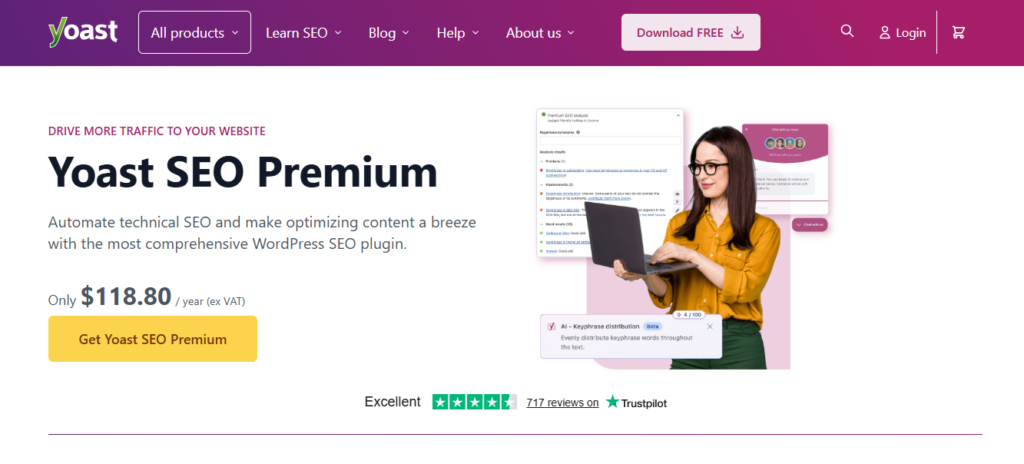
Yoast SEO Premium Cost in India: The subscription converts to approximately ₹7,500–₹8,000 per year, depending on exchange rates. While slightly higher than AIOSEO, it provides advanced content analysis and premium support, which many bloggers and businesses find valuable.
Comparison & Key Takeaways
| Feature / Plugin | All in One SEO | Yoast SEO |
|---|---|---|
| Free Version | ✅ Basic SEO features | ✅ Basic SEO features |
| Premium Cost | $49.50/year | $89/year |
| Multiple Focus Keywords | ❌ | ✅ |
| Internal Linking Suggestions | Basic | Advanced |
| WooCommerce & Local SEO | ✅ | Limited / Add-ons |
| Support | Priority in premium | Premium support included |
In the All in One SEO vs Yoast debate, the choice often comes down to budget vs advanced content features. All in One SEO is more affordable while still providing most essential SEO tools, whereas Yoast SEO is premium-priced but offers superior content optimization features and advanced usability for large, content-heavy sites.
Installation & Setup Experience
A crucial factor in the All in One SEO vs Yoast comparison is how easy it is to install and set up the plugins. Both tools aim to simplify SEO for WordPress users, but they approach setup differently.
Installing the Plugins
- All in One SEO:
- Can be installed directly from the WordPress plugin repository.
- After activation, AIOSEO launches a setup wizard that guides users through site type selection, homepage SEO, and default social media settings.
- Beginners can complete the setup in just a few minutes.
- Yoast SEO:
- Also available in the WordPress plugin repository for free installation.
- Once activated, Yoast presents a configuration wizard that walks users through site type, organization info, webmaster tools, and SEO visibility settings.
- The traffic-light system in the dashboard immediately shows which pages or posts need attention.
Ease of Use During Setup
- All in One SEO: Offers a clean and simple interface, focusing on speed and simplicity. The wizard is straightforward, making it ideal for beginners or website owners who want a quick SEO setup.
- Yoast SEO: While slightly more detailed, Yoast’s setup ensures comprehensive optimization from the start. Its step-by-step recommendations help users understand SEO best practices as they configure the plugin.
Post-Setup Management
- All in One SEO: The dashboard allows users to tweak SEO settings, manage sitemaps, and configure schema without feeling cluttered.
- Yoast SEO: Provides more guidance and actionable suggestions for ongoing SEO improvements, including readability analysis, keyword focus, and internal linking.
Key Takeaway in the All in One SEO vs Yoast Comparison
If you’re a beginner or want a lightweight setup, All in One SEO provides a faster and simpler installation experience. Yoast SEO, however, is ideal for those who want more detailed guidance and a structured approach to optimizing every aspect of their site from the start.
Content Analysis & Recommendations
One of the most significant differences in the All in One SEO vs Yoast debate lies in how each plugin analyzes and provides recommendations for your content. Optimizing your content effectively is crucial for ranking higher on search engines, and both plugins offer tools to help you do this—but in different ways.
All in One SEO Content Analysis
- Keyword Optimization: Allows you to set a focus keyword and checks if it appears in key areas such as title, description, headings, and URL.
- Basic SEO Recommendations: Provides actionable suggestions, like improving meta descriptions or adding alt text to images.
- Content Readability: Offers limited guidance compared to Yoast but includes basic suggestions for headings and paragraph structure.
Yoast SEO Content Analysis
- Advanced Keyword & Focus Analysis: Yoast allows you to optimize for multiple focus keywords (premium version) and provides a detailed breakdown of keyword usage across your content.
- Readability Analysis: Offers an extensive readability report, evaluating sentence length, paragraph length, use of passive voice, and transition words.
- Internal Linking Recommendations: Premium users receive suggestions for linking to related posts, which improves site structure and SEO performance.
- Real-Time Feedback: Yoast’s traffic-light system (green, orange, red) instantly shows how well your content is optimized, making it easy to implement improvements.
Key Takeaway in the All in One SEO vs Yoast Comparison
While All in One SEO provides the essential tools to optimize content for search engines, Yoast SEO goes a step further by offering comprehensive readability analysis, multiple keyword optimization, and internal linking suggestions. This makes Yoast especially beneficial for content-heavy blogs or websites focused on ranking high for competitive keywords.
Pros & Cons of Each Plugin
To help you make a clear choice in the All in One SEO vs Yoast debate, it’s important to understand the strengths and limitations of each plugin. Here’s a detailed comparison:
All in One SEO – Pros
- ✅ Beginner-Friendly: Simple interface and setup wizard make it easy for newcomers.
- ✅ Lightweight & Fast: Minimal impact on website speed.
- ✅ Affordable Premium Plans: Offers most essential SEO features at a lower cost.
- ✅ Comprehensive Features: Includes XML sitemaps, schema markup, local SEO, and WooCommerce integration.
- ✅ Customizable Settings: Advanced users can tweak SEO settings without clutter.
All in One SEO – Cons
- ❌ Limited Content Analysis: Lacks advanced readability analysis compared to Yoast.
- ❌ Basic Internal Linking Suggestions: Premium users get only limited guidance for link building.
- ❌ Less Guidance for Beginners on Best Practices: Provides fewer actionable tips for optimizing content beyond meta titles and descriptions.
Yoast SEO – Pros
- ✅ Advanced Content Analysis: Focus keyword optimization, readability analysis, and SEO scoring.
- ✅ Internal Linking Suggestions: Premium version helps improve site structure and SEO authority.
- ✅ Strong Community & Support: Extensive documentation, tutorials, and active forums.
- ✅ Traffic-Light System: Easy to understand visual cues for on-page optimization.
- ✅ Structured Data & Social Previews: Helps your content stand out in search results and social media.
Yoast SEO – Cons
- ❌ Higher Cost: Yoast SEO Premium is more expensive than All in One SEO premium plans.
- ❌ Slightly Heavier Plugin: Can add minor load to websites with many posts.
- ❌ Setup Takes Longer: More detailed configuration may feel overwhelming for beginners.
Key Takeaway in the All in One SEO vs Yoast Comparison
If you want a fast, lightweight, and affordable SEO plugin, All in One SEO is the better choice. If your goal is comprehensive content optimization with advanced SEO guidance, Yoast SEO offers more tools and detailed recommendations.
Final Verdict: All in One SEO vs Yoast
Choosing the right SEO plugin for your WordPress website ultimately comes down to your goals, technical comfort, and budget. In this All in One SEO vs Yoast comparison, both All in One SEO vs Yoast plugins offer excellent tools, but they cater to slightly different needs.
When to Choose All in One SEO
- Beginners & Small Websites: Its simple interface and setup wizard make it easy for non-technical users.
- Budget-Conscious Users: Premium plans are more affordable while still offering essential SEO features.
- Lightweight & Fast Performance: Ideal for websites where speed is a priority.
- Versatile SEO Features: Supports XML sitemaps, schema markup, local SEO, and WooCommerce without overwhelming beginners.
When to Choose Yoast SEO
- Content-Heavy Sites: Blogs, news websites, and eCommerce stores benefit from Yoast’s advanced content analysis and readability tools.
- Multiple Focus Keywords & Internal Linking: Yoast Premium helps optimize complex content strategies.
- Structured Guidance: The traffic-light system and actionable recommendations ensure that even beginners can follow best SEO practices.
- Strong Support & Community: Extensive tutorials, documentation, and updates make Yoast ideal for long-term SEO growth.
Key Takeaway
In the All in One SEO vs Yoast debate, there is no one-size-fits-all answer:
- Choose All in One SEO if you want an affordable, fast, and beginner-friendly plugin that covers all essential SEO functions.
- Choose Yoast SEO if your priority is advanced content optimization, readability analysis, and long-term SEO strategy, even at a slightly higher cost.
Both All in One SEO vs Yoast plugins are excellent, but your website type, SEO goals, and budget should guide your decision.
FAQs About All in One SEO vs Yoast
1. Which is better, All in One SEO or Yoast SEO?
Both All in One SEO vs Yoast plugins are excellent, but the choice depends on your needs. All in One SEO is beginner-friendly, lightweight, and affordable, while Yoast SEO offers advanced content analysis, readability tools, and premium support for content-heavy sites.
2. Can I use All in One SEO and Yoast SEO together?
No, it is not recommended to use both plugins simultaneously. Running both can cause conflicts, duplicate meta data, and affect site performance. Choose the plugin that best fits your SEO strategy.
3. Is All in One SEO free?
Yes, All in One SEO has a free version with essential SEO tools. Premium plans start at around $49.50/year and include advanced features like local SEO, WooCommerce support, and video sitemaps.
4. How much does Yoast SEO Premium cost?
Yoast SEO Premium costs $89/year for a single site. In India, this is roughly ₹7,500–₹8,000 per year. Premium features include multiple focus keywords, internal linking suggestions, redirect manager, and premium support.
5. Which plugin is better for beginners?
All in One SEO is generally easier for beginners due to its simple setup wizard and clean interface. However, Yoast SEO’s traffic-light system also helps beginners understand SEO best practices, though it may take slightly longer to configure.
6. Which plugin is better for content-heavy websites?
Yoast SEO is better for blogs, news sites, and eCommerce stores because of its advanced content analysis, readability suggestions, and internal linking recommendations.
7. Does using these plugins improve SEO automatically?
No plugin guarantees automatic SEO success. Both All in One SEO vs Yoast provide tools and guidance, but consistent content optimization, keyword research, and site performance improvements are necessary for better rankings.